
We are (finally!) upgrading our old Meilisearch, which is used by TechTransThai F-Social, to the latest version!
However, as we checked the docs on upgrading, we had 2 options:
--upgrade-dbflag- Using a dump
Coming from RDBMS administration (looking at you Postgres), using the dump is the obvious choice. Let’s do this.
Creating the dump
⚠️ Make sure to stop whatever’s using Meilisearch first, such as Sharkey in our case!
The docs say we can then create a dump of your database using the create a dump endpoint
curl \
  -X POST 'http://<your-domain-name>/dumps' \
  -H 'Authorization: Bearer API_KEY'
However, we are running inside a (Podman) container, so we had to look around a bit. Turns out the Meilisearch container already has the curl binary we can make use of.
We also just ran the old instance on the default port (7700) using the Quadlet:
ContainerName=sharkey_meilisearch
Image=docker.io/getmeili/meilisearch:v1.35.0
Environment=MEILI_ENV=production
EnvironmentFile=/home/core/Apps/sharkey/.config/meilisearch.env
Volume=/home/core/Apps/sharkey/meili_data:/meili_data:z
Network=shonk.network
This means we can just do this via podman exec, which translated into:
podman exec -it sharkey_meilisearch curl -X POST 'localhost:7700/dumps' -H 'Authorization: Bearer API_KEY'
Then we track the status with:
podman exec -it sharkey_meilisearch curl -X GET 'localhost:7700/tasks/1' -H 'Authorization: Bearer API_KEY'
That took only a second to complete, since the data was very little.
As we checked /home/core/Apps/sharkey/meili_data/ as it was mounted into the container. it now contains
data.ms dumps
Within dumps/ there was the dump file present, confirming that it was successful.
Meilisearch will never create a partial dump file, even if you interrupt an instance while it is generating a dump.
Importing the dump into the new instance
First, stop the old Meilisearch instance
systemctl --user stop <name of meilisearch service>
Let’s move the old data.ms to data.ms.old to avoid conflicts. Inside meili_data/:
mv data.ms data.ms.old
Now we have to execute the command below to import the dump at launch. This means we will want to run this once, before running it without the flag next time (don’t forget we’re doing Quadlets!).
podman run -it -e MEILI_ENV=production --env-file /home/core/Apps/sharkey/.config/meilisearch.env -v /home/core/Apps/sharkey/meili_data:/meili_data:z docker.io/getmeili/meilisearch:v1.54.0 meilisearch --import-dump /meili_data/dumps/20260922-045156427.dump
The command is simply derived from the Quadlet above, just now with latest Meilisearch at the time of writing.
It was quite fast to import and start the new instance, as it creates new data.ms/ from the imported dump. Anyways, it’s now up and running.
Now we ^C it and edit the quadlet to
Image=docker.io/getmeili/meilisearch:v1.54.0
Again, 1.54 is the latest version as of writing. Adjust accordingly!
Starting the new instance
Considering we just updated our Quadlet, make sure to do a daemon-reload and simply start it
systemctl --user daemon-reload
systemctl --user start <name of meilisearch service>
You should see the following:
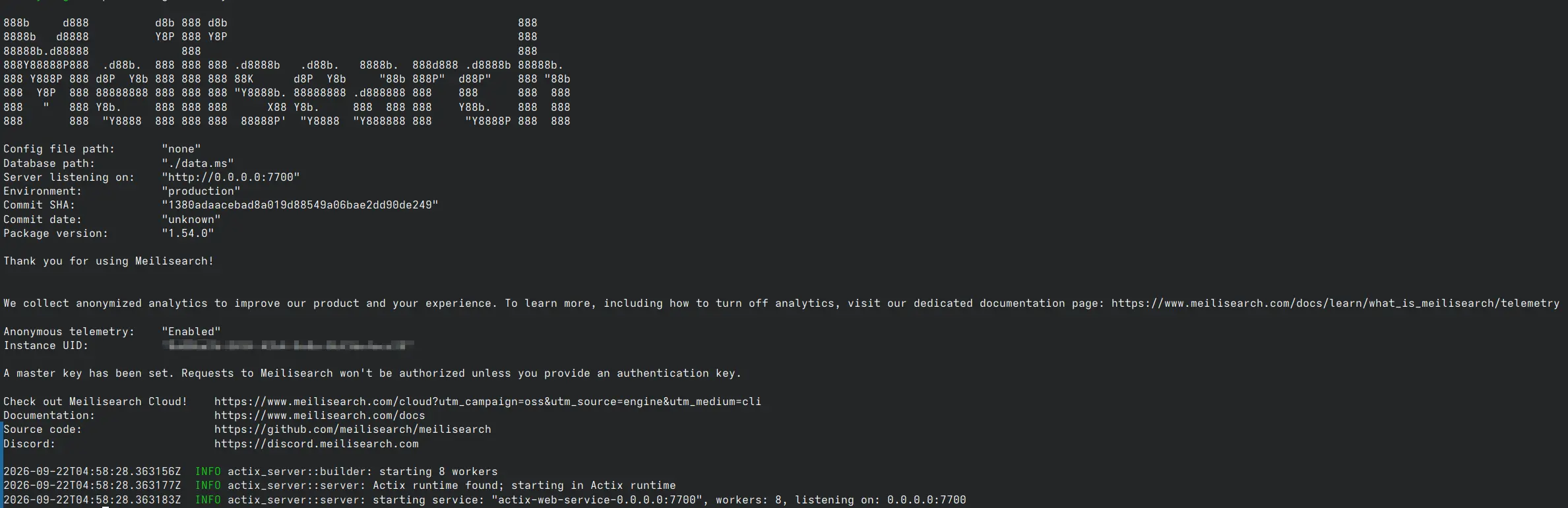
This means the upgrade is complete and Meilisearch is now ready to use. Feel free to delete meili_data/data.ms.old as needed, start whatever uses it and call it a day!