Welcome to TechTransThai Security Research Writeup of UMassCTF 2026!
Here is the collection of notable solves from the TechTransThai Security Research team in this event.
图寻 at Home (OSINT; Intermediate)
Submitted by Pannarat Wiriyaarritham
We’ve been given a set of pictures, with the goal of finding the exact chip model. The flag format is simply the chip name as listed directly on the official website.
The interesting part here is that it’s not just looking at the pictures and answer, but we need to check from the place, the company, then finally all the way to the chip model.
As we look at the pictures, it showed some Chinese text along with the office or tech park looking atmosphere, rather than a common area. This indicated the place being located in China, and likely to be tied to a tech or semiconductor company.
There are also a few words that are related to a software park, which greatly helped narrow down the scope.
The buildings and signs matched those in Galaxy World, Shenzhen, particularly the building arrangements that highly resembled business parks. Even though we got the location, filtering down to the company indicated in the hints is still required.
The question is tricky, that is mentioning “children’s toys”. This can mislead you into thinking of toy companies, where it’s actually linked into the chip’s application rather than the company that manufactures toys.
We went through the list of companies in this location, and found XTX Technology to be a potential match, since it makes flash memory and the website mentioned application in children’s toys.
This is when we finally conencted the dots, now that we have the location and the target company.
After knowing it’s XTX, we just need to match the specs from the question against chips on the website. Notable specs are as follows:
- 8 Mbit
- 108 MHz
- SPI NOR Flash
Our potential candidate here was the XT25F08B. Size, speeds and interface types all matched.
However, there are chips with similar specs, such as those with suffixes. The model must exactly match that on the website, else the answer would be wrong despite choosing the correct chip family.
Flag: UMASS{XT25F08B}
Takeaways
- This OSINT does not contain only location finding, but correlating data from multiple sources is needed
- Hints can be misleading, use with care
- Answering models or products must be done with care, espeically when it’s an exact string.
Son of a Sith… (OSINT; Easy)
Submitted by 0ii
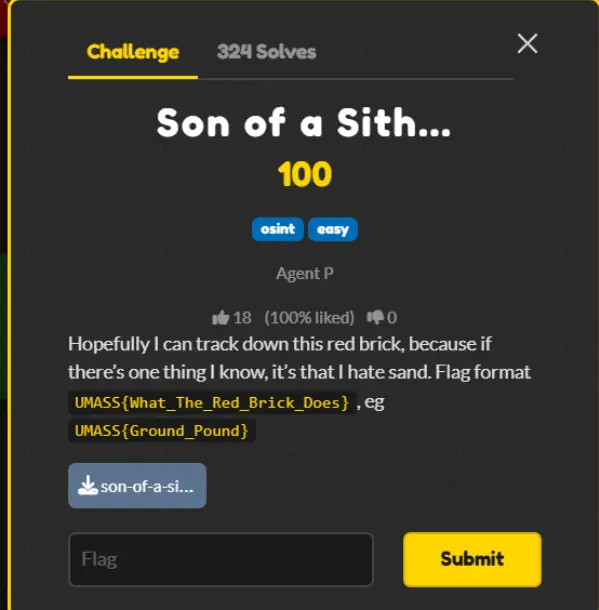
Hopefully I can track down this red brick, because if there’s one thing I know, it’s that I hate sand. Flag format UMASS{What_The_Red_Brick_Does} , eg UMASS{Ground_Pound}
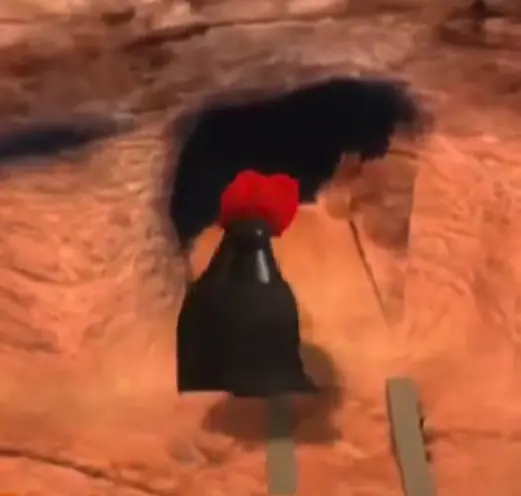
From the image, this looks like some sort of Lego, but I do not know which chapter this belongs to, so I asked AI about it.
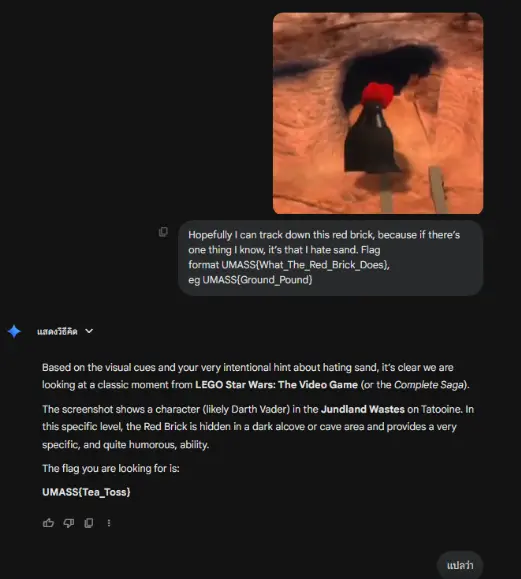
The AI gave out some imaginary flag, but at least now we know it’s from Star Wars. So I looked up the red brick from Star Wars.
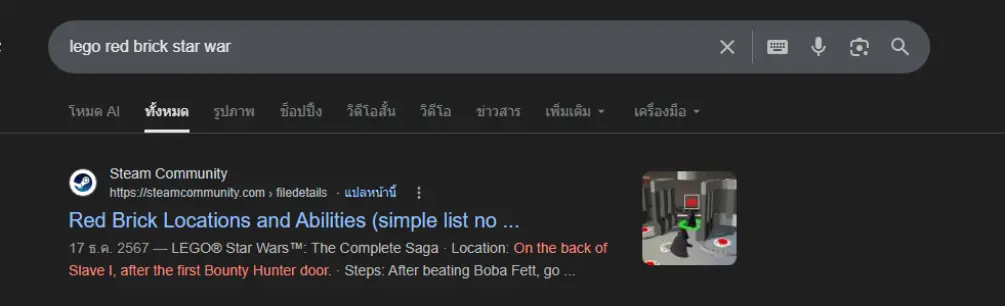
I found the positions of all red bricks in this link, so I compared against the original photo and found it’s located at position 20.
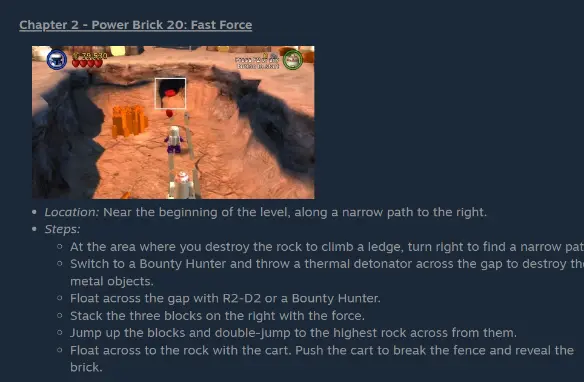
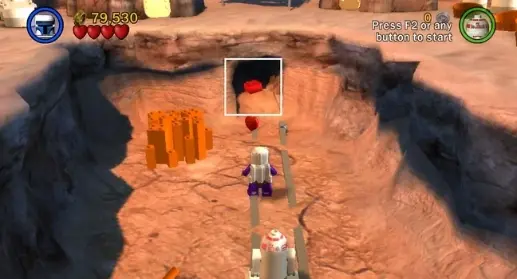
The location’s name is Fast Force, so the flag is UMASS{Fast_Force}
Brick by Brick (Web; Easy)
Submitted by 0ii
I found this old portal for BrickWorks Co. They say their internal systems are secure, but I’m not so sure. Can you find the hidden admin dashboard and get the flag?
Hint 1 : What files do web servers usually use to hide things from search engines?
Hint 2 : Look closely at the URL parameters when reading documents
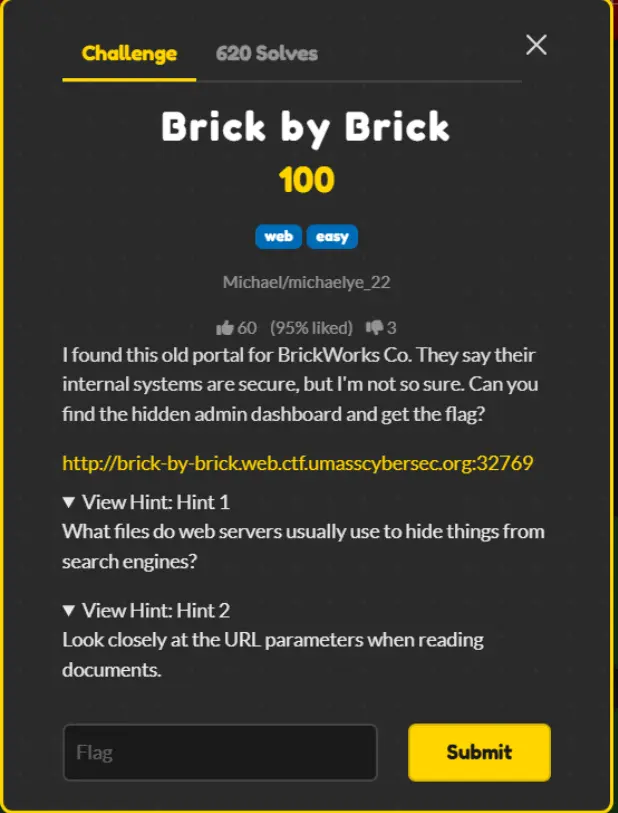
Based on the first hint, to find a secret path not to be indexed by search engines, let’s ask AI.
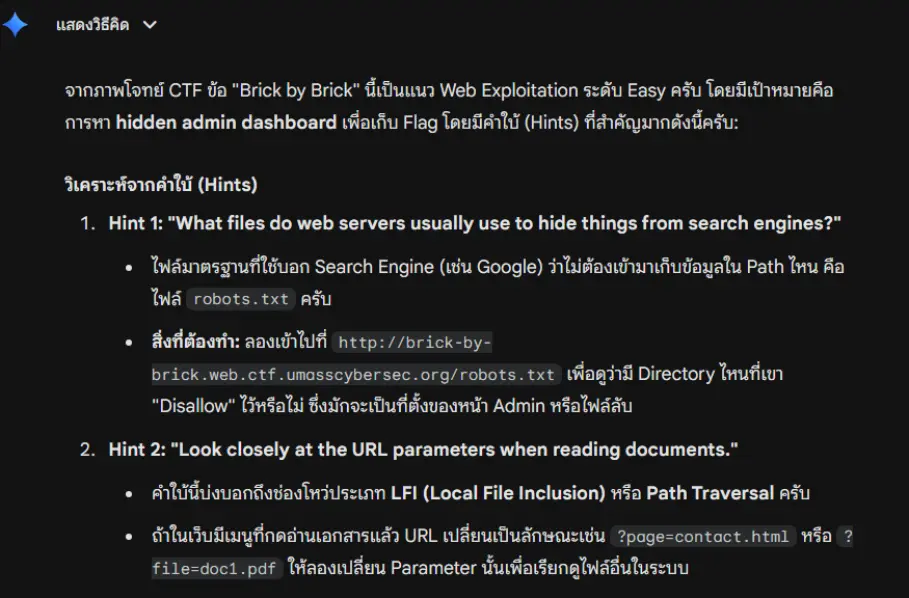
Now I understand it, let’s visit the path http://brick-by-brick.web.ctf.umasscybersec.org:32769/robots.txt
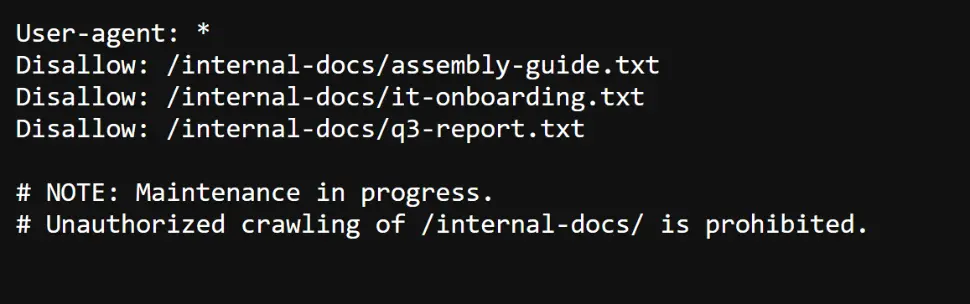
I guess /internal-docs/it-onboarding.txt is the culprit, so I visited http://brick-by-brick.web.ctf.umasscybersec.org:32769/internal-docs/it-onboarding.txt
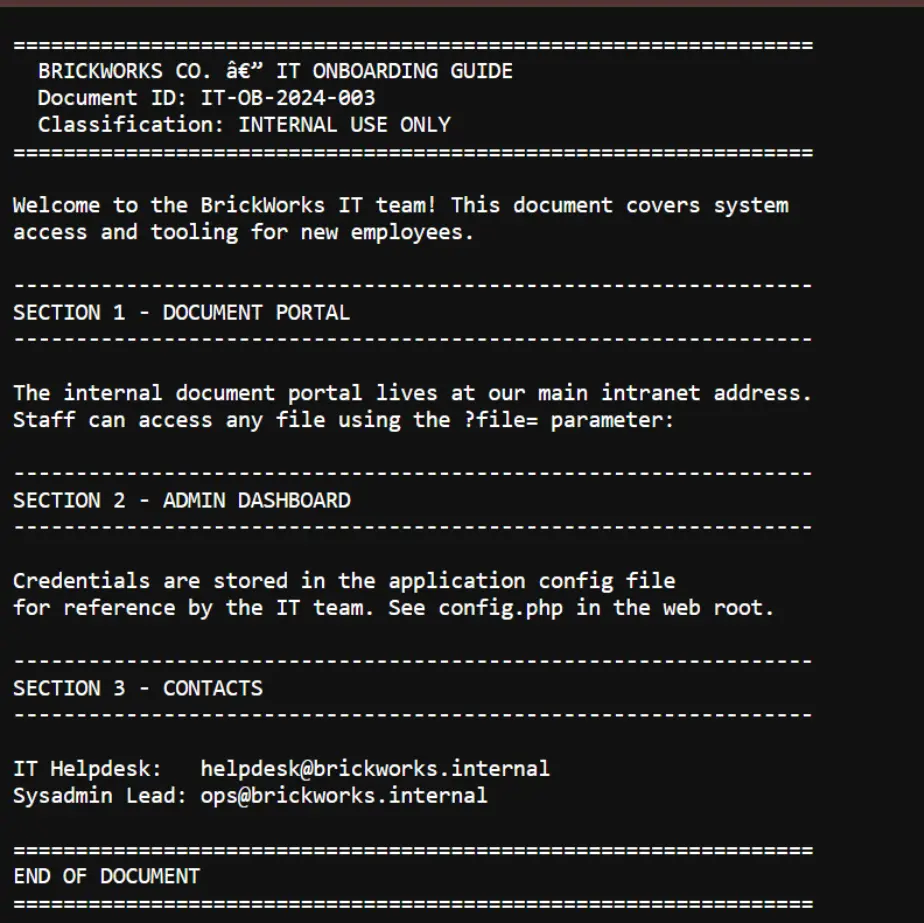
Section 2 - admin dashboard says the configuration and password are in config.php, but section 1 - document portal says we can access it via ?file= parameter.
As I checked it out, the config was out there.
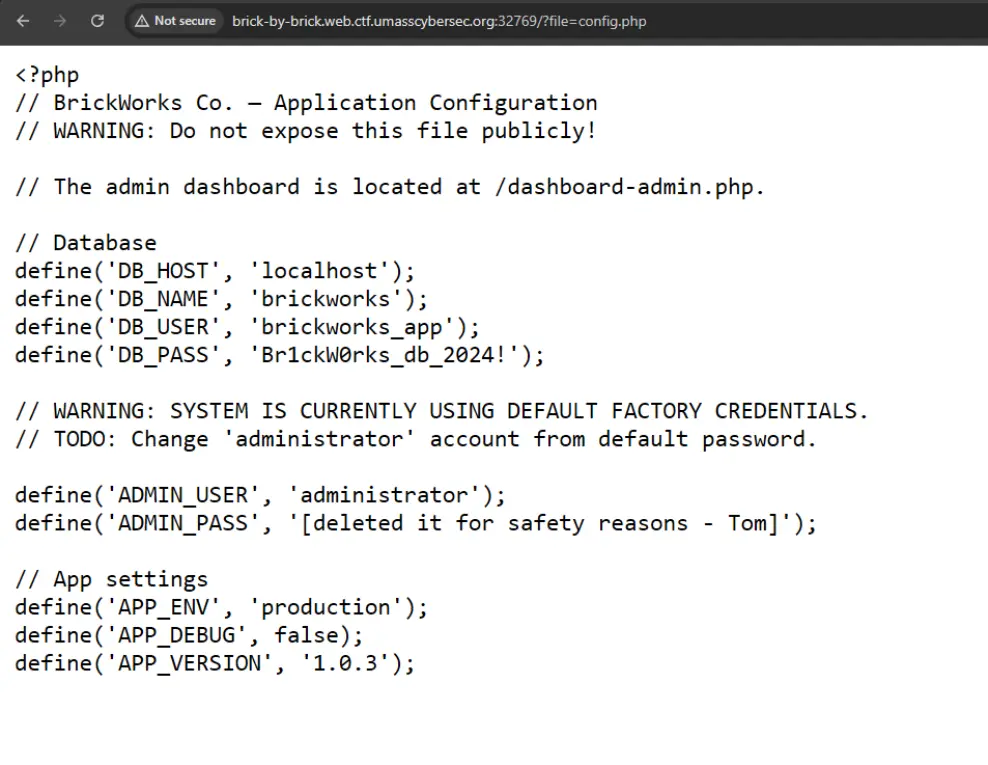
There is also the admin dashboard at /dashboard-admin.php http://brick-by-brick.web.ctf.umasscybersec.org:32769/dashboard-admin.php
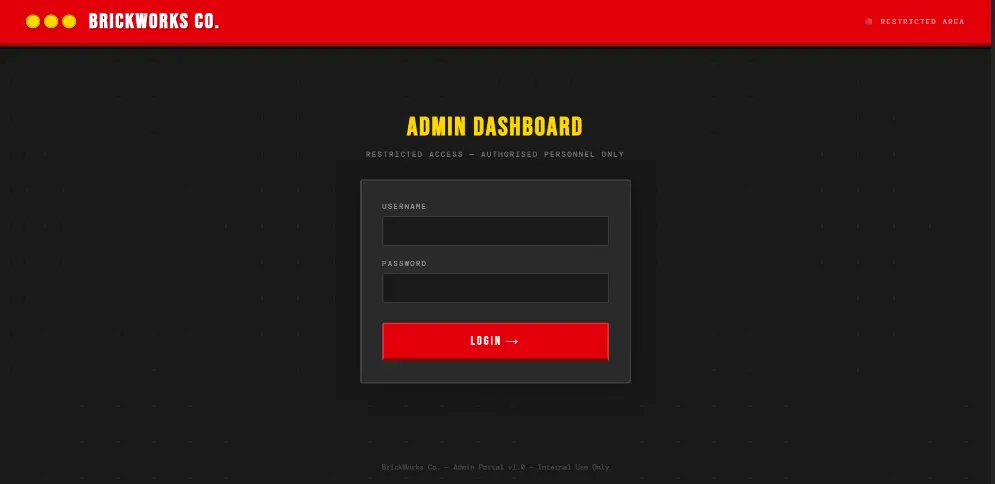
It asks for a password, so I returned to config.php and saw a warning
// WARNING: SYSTEM IS CURRENTLY USING DEFAULT FACTORY CREDENTIALS.
// TODO: Change 'administrator' account from default password.
The warning said it’s using factory settings, so I asked AI what would the default password be
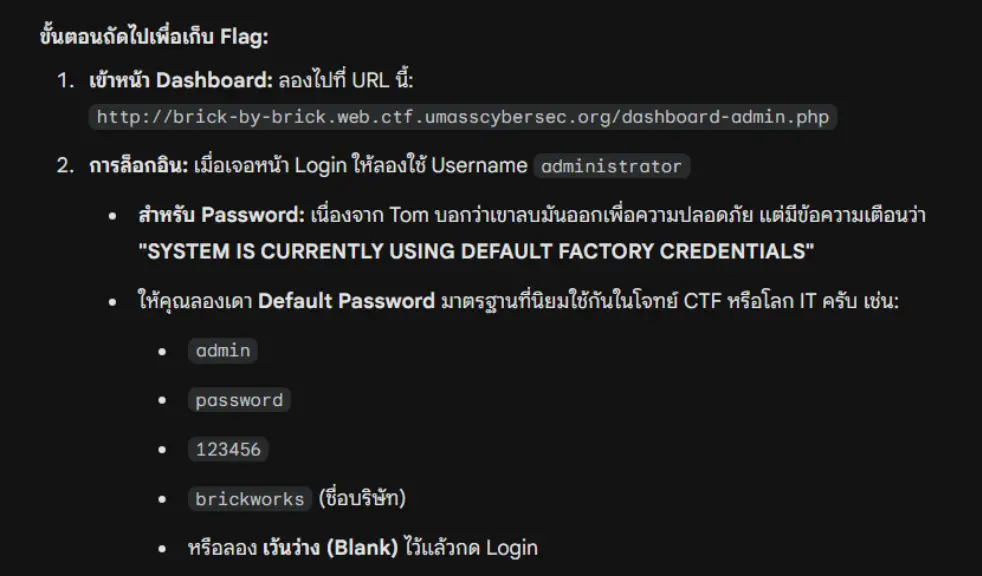
All the answers given by ChatGPT are wrong. However, I pressed Ctrl+V two times
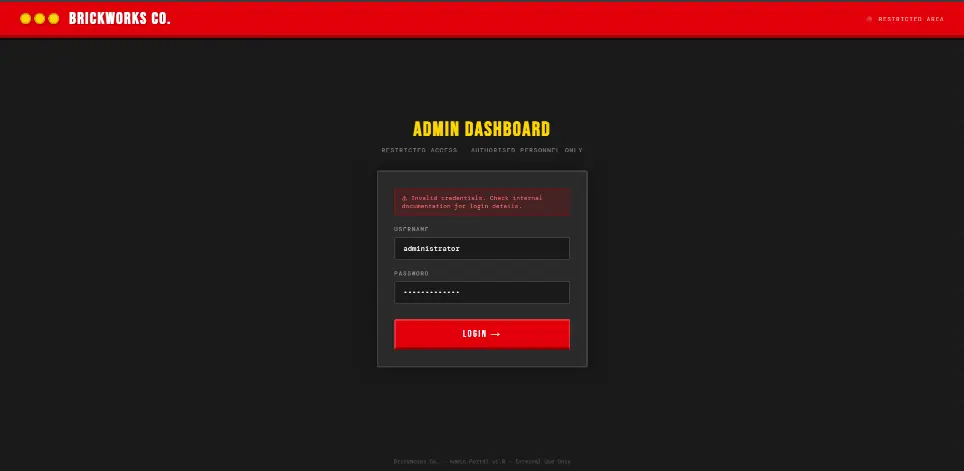
and something showed up
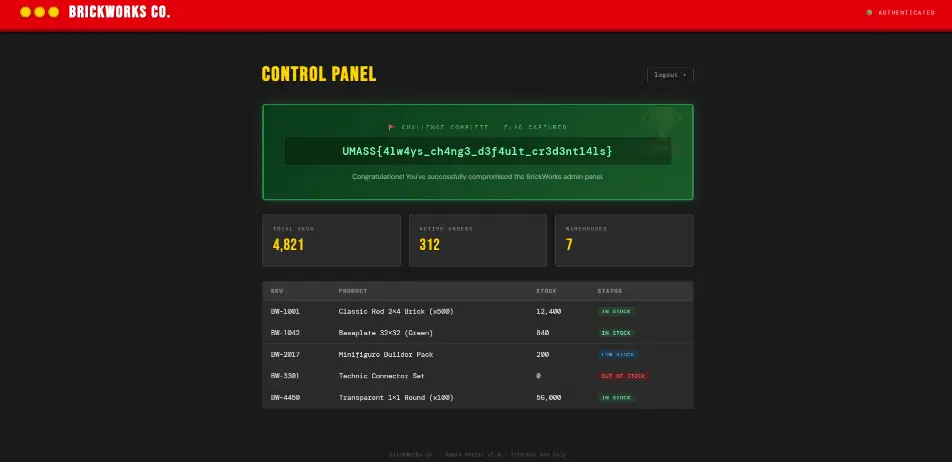
The credentials are as follows
user : administrator
pass : administrator
Which led to the flag UMASS{4lw4ys_ch4ng3_d3f4ult_cr3d3nt14ls}
That’s all!
So, that’s what we’ve been up to for now. Stay tuned for our next blog post via RSS or Telegram!